
Gmail (send only)
Let Foxl send email from your Gmail account - what it can and cannot do, how to connect it, where the access is stored, and how to remove it
Connect Gmail and Foxl can send email from your own Gmail address when you ask it to: a summary of a meeting, a report from a schedule, a reply you dictated. It is send only. Foxl cannot read, search or delete your mail, and nothing it has been given lets it.
Gmail is new in Foxl. Until Google finishes reviewing the app, Google may show a "Google hasn't verified this app" screen during the connect; that screen is Google's, and continuing past it is your choice.
What Foxl asks Google for
| Permission | What it allows |
|---|---|
Send email on your behalf (gmail.send) | Sending a message from your account. Google's narrowest Gmail permission that can send |
Your email address (openid, email) | Showing which account is connected |
That is the whole list. If Google's screen grants Foxl anything wider, or you untick sending, Foxl revokes what it was given and connects nothing.
Connect Gmail
You need the Foxl desktop app, signed in to your Foxl account.
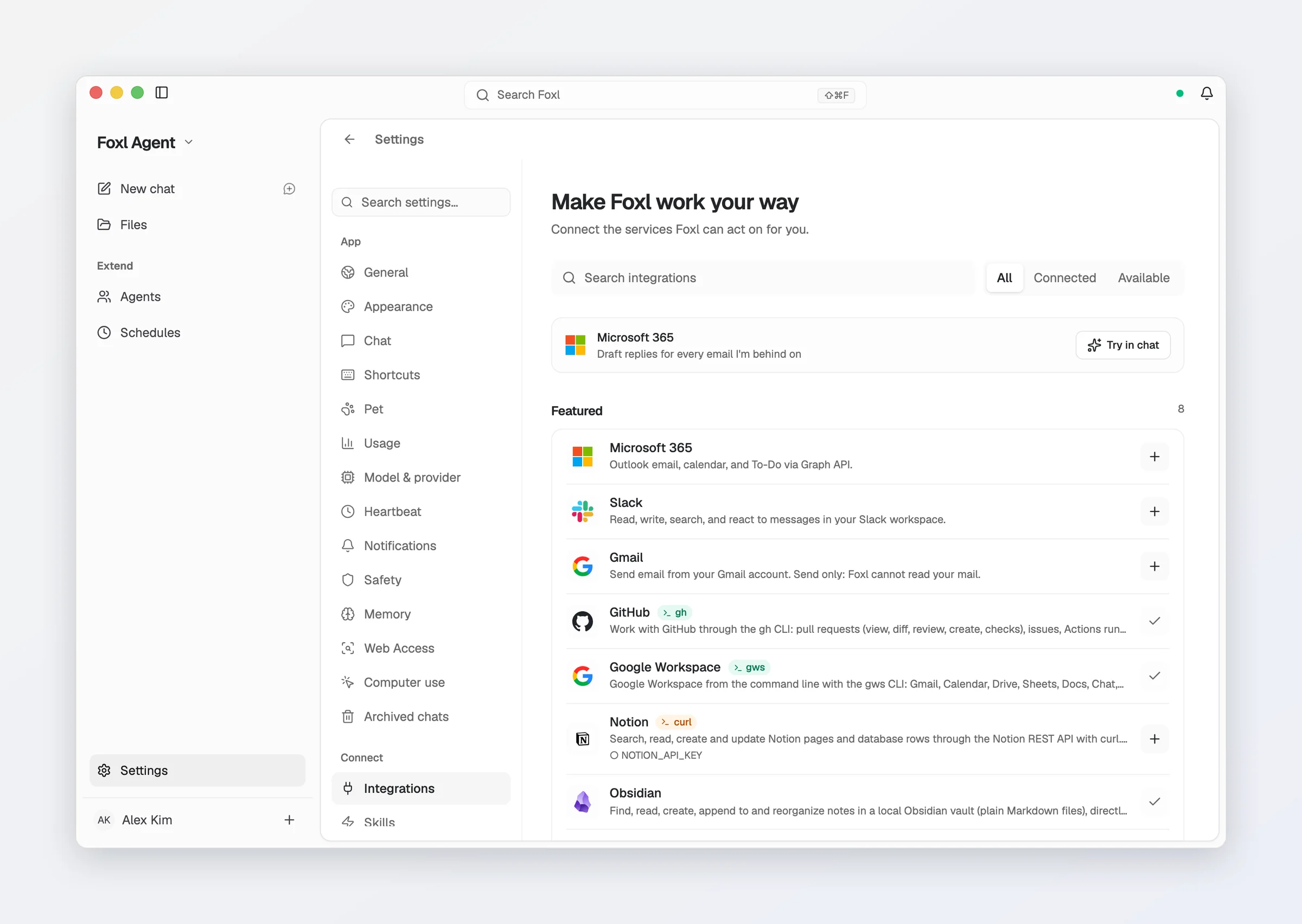
- Open Settings > Connect > Integrations and choose Gmail.
- Select Continue to Gmail. Your browser opens Google's sign-in.
- Choose your Google account and allow Send email on your behalf.
- Return to Foxl. The Gmail row shows the connected address.
Then ask in a chat or a schedule, for example: "Email me a summary of today's meeting notes."
Where the access is kept
- On your computer. Google's access tokens are stored encrypted in Foxl's local database.
- Foxl Relay holds no token. Google requires a credential that Foxl keeps off your computer for the sign-in and for renewing access about once an hour, so those two requests pass through Foxl Relay, which adds it and stores nothing.
- Sending goes straight from your computer to Gmail.
Disconnect
Open Settings > Connect > Integrations, choose Gmail, then Disconnect. Foxl asks Google to revoke the access and deletes its copy. If Google does not confirm, Foxl says so. You can always remove the access yourself at myaccount.google.com/connections.
Google also ends the access on its own when you change your Google password, when it goes unused for six months, or when you remove it there. Foxl then shows Sign-in expired on the Gmail row; disconnect and connect again to keep using it.
Privacy
Foxl's use and transfer to any other app of information received from Google APIs will adhere to the Google API Services User Data Policy, including the Limited Use requirements. See the privacy policy.
iMessage setup guide
Text Foxl from your iPhone over iMessage - give Foxl its own Apple Account in a second user on your Mac, every step of the Connect iMessage dialog with screenshots, what to do after a restart, and how to undo it
AI Providers
Connect a model - Anthropic, OpenAI, Google, Amazon Bedrock, nineteen OpenAI-compatible vendors, a local model, or a Claude / ChatGPT subscription