
The desktop companion
The Foxl companion, and how to let it out of the app window onto your desktop
Foxl has a collectible companion - an animated character that lives in the app. It is entirely optional and off to one side of the product: nothing about the agent, your files or your model access depends on it.
Everything about it is in Settings > Pet.
In the app
Turn Show pet on and your companion appears inside the Foxl window, where it reacts to hovering and clicking.
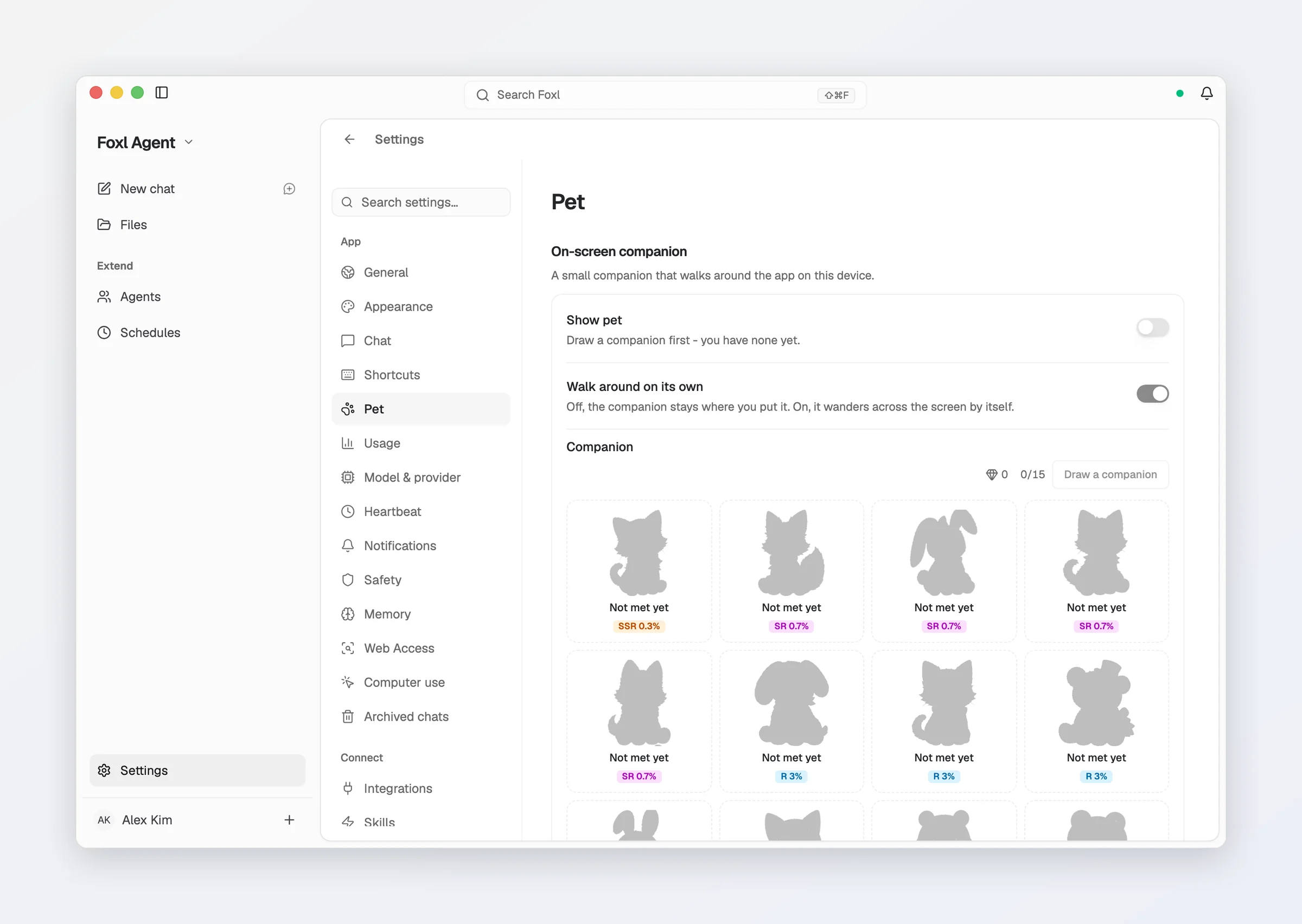
You choose which companion is on screen from the gallery in that pane, which shows each one large enough to see rather than as a name in a dropdown. With an empty collection the pane says to draw a companion first rather than showing a switch that cannot do anything - and with nothing owned, no animal is drawn at all.
Below the switch sit Size (Small, Medium, Large) and Walk around on its own - off, it stays where you put it; on, it wanders across the screen by itself. New companions come from Draw a companion: a draw costs one gem, or sparks when you have no gem left. Both come from real agent work (a fixed number of tokens per gem, capped per day) and cannot be bought, and the gallery keeps a Companions met count over the roster.
Signed in, you can give a companion you have to someone else: select it in the gallery and choose Send ... to a friend, with their email and an optional note. It leaves your collection straight away and waits a day for them; if they do not take it - or delete their Foxl account first - it comes back to you.
Out on your desktop
Show outside the app window lets the companion out. It then walks around your desk over your other apps, follows your cursor when asked, and can be picked up and carried anywhere, including onto another monitor in one continuous drag. Its right-click menu also offers the way out, and the way back into Foxl.
| Interaction | What happens |
|---|---|
| Left click | Raises the Foxl window - re-creating it if it had been closed, restoring it if minimized - alongside the reaction it plays. |
| Right click | Its menu: Come over to my cursor, Stay here (or Let it wander), Move back into Foxl, and Hide pet. |
| Drag | Picks it up and carries it. Your window order is unchanged. |
| Hover | Greets you, for exactly as long as the pointer is over it. |
The left click matters more than it sounds: Cmd+W hides the Foxl window and
leaves the animal out on the desk, which makes the companion the only piece of
Foxl still on screen. Clicking it is how you get the window back, on macOS,
Windows and Linux alike.
Off by default, and desktop app only - a browser tab cannot paint outside itself, so on app.foxl.ai the row explains itself rather than disappearing. The switch is unavailable until you actually have a companion, because otherwise the window would be a small invisible patch of screen that takes clicks with nothing on it to explain itself.
The window out there is the size of the animal - about 76px - and always takes its own clicks. It is deliberately not a transparent overlay across a whole display: the worst a small always-clickable window can do is take a click in the 76px it occupies, which is the companion working.
Related
- Appearance - themes, gradients and motion settings.
- Cost & model access - Foxl is free; what you supply is the model.