
Esta página ainda não está disponível em Português, por isso aparece em inglês.
Troubleshooting
Solutions to common issues with the Foxl desktop app, web app, Chrome extension, Notes and Foxl Code, and how to send a report
Desktop App
App won't open on macOS
Right-click the app in Applications and select Open. macOS Gatekeeper may block first launch. Foxl is notarized by Apple (Team ID: B47A25FR9P).
"Server runtime not found" / "Node.js not found"
Foxl bundles its own server runtime - Bun on macOS and Linux, Node.js on Windows - and does not need a system install of either. If you see this error, the app bundle may be corrupted. Try re-downloading and reinstalling from foxl.ai.
Foxl says port 13847 is in use
Foxl's local server runs on port 13847. A Foxl server left over from an earlier run (after a force quit, for example) is stopped without a question, and the app opens in a few seconds. If another program holds the port:
- On Windows, Foxl asks "Port 13847 is in use by program. Quit it so Foxl can start?" and closes that one program only if you choose Quit, leaving anything it started running. Cancel closes nothing.
- With Keep running when closed on, the background service waits for the port, and its startup screen says the port is used by another program. The server starts within about 30 seconds of the port coming free; you do not need to reopen the app or restart the computer.
Agent not responding
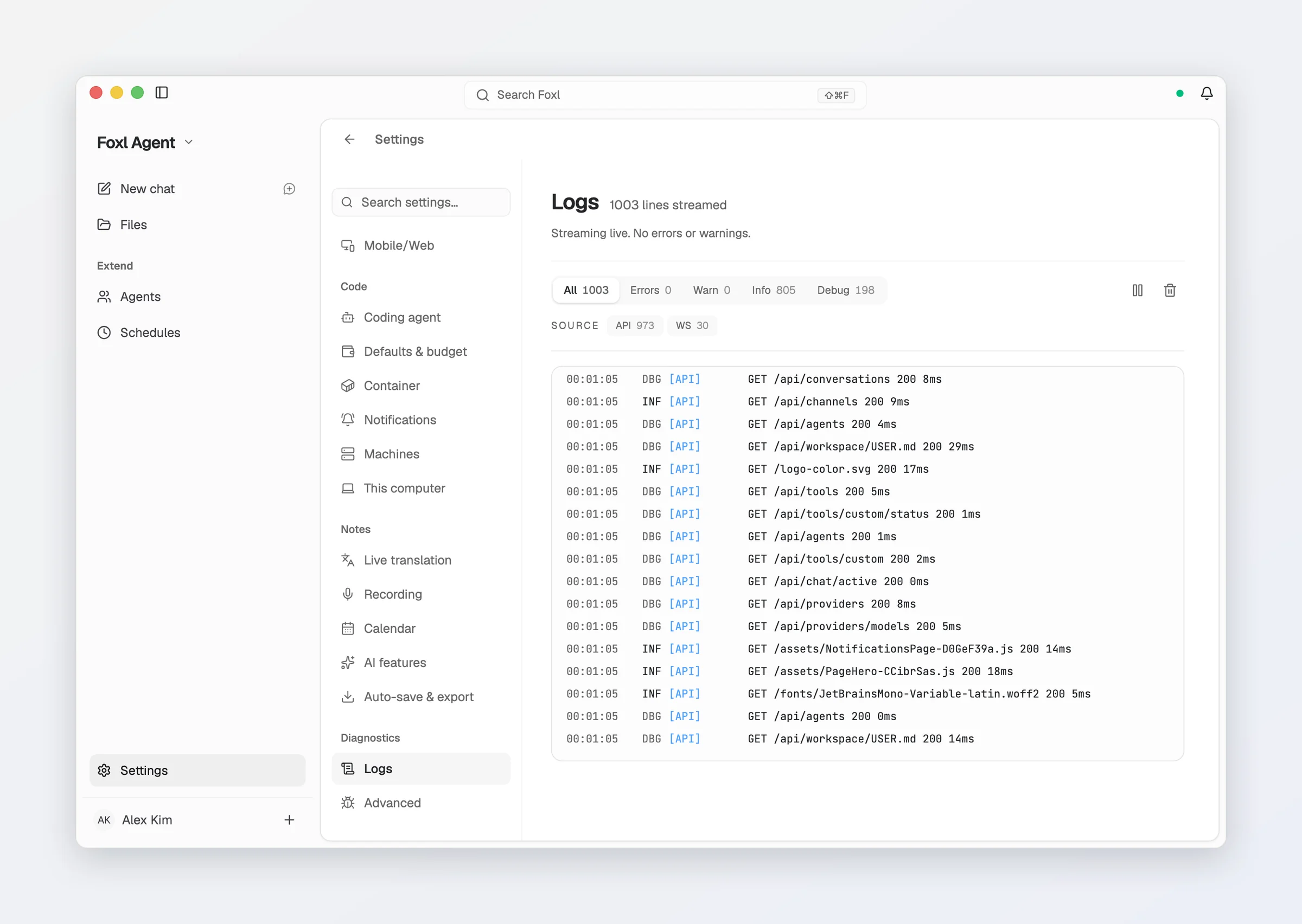
- Check Settings > Logs for errors
- Try restarting the desktop app
- If you connected a cloud provider, verify your internet connection
- Check that your API key is still valid in Settings > Model & provider
- If it keeps happening, send a report with the diagnostic report attached
Recording, dictation or chat takes minutes to say "no AWS credentials"
On a Mac with no AWS account set up, the answer that no AWS credentials were found now comes at once. It used to take about two and a half minutes, because the bundled runtime waited on an EC2 metadata address that answers nothing outside AWS. If you still wait that long, update Foxl. On an EC2 instance with an instance role, a request in the first second after Foxl starts can still miss the role; trying again works.
High memory usage
The agent runs as a separate server process. If memory usage is high:
- Close unused conversations
- Restart the app to clear agent state
- Check for long-running background processes on the Agents page
On a Mac with Apple Silicon, a Windows PC or a Linux x64 computer, the on-device models take memory only while they are in use: Settings > Model & provider > On this device says whether each one is in memory or loads when used, and how long it stays after its last use.
Collect a System report
Settings > Advanced > System Report downloads what support needs to diagnose a desktop problem. It leads with recent problems - chat failures you were shown, tool failures and warnings - and includes the state of each MCP server, the server's log at every level, a per-route summary of requests with the failed and slow ones, the end of the previous run, and the desktop app's own log. Message text and chat titles in the logs are left out, though logs can name files, folders and apps you use. Include recent conversation... adds the last 10 messages of your most recent conversation and the titles of your 10 most recent ones; share that version only with people you trust.
The server also writes its log to a daily file under ~/.foxl/data/logs and keeps a week of them, so the lines before a crash or a restart survive it. A report sent from the app attaches the same diagnostic report unless you untick it.
Linux: the AppImage does not start
Two separate failures, and neither is a security dialog:
Permission denied- a browser download has no execute bit. Runchmod +x Foxl-latest.AppImage.dlopen(): error loading libfuse.so.2/ "AppImages require FUSE to run" - Ubuntu 22.04 and later ship fuse3 only. Installlibfuse2(sudo apt install libfuse2t64on 24.04). No--no-sandboxflag is needed.
Windows: SmartScreen warning on first launch
Foxl for Windows is signed with a self-signed certificate, so on a fresh download SmartScreen shows "Windows protected your PC" with Don't run as the only button and the publisher as Unknown publisher. Click More info, then Run anyway. The warning does not fade with time or downloads - only a trusted certificate would remove it - and Microsoft Defender itself does not flag the file. Edge or Chrome may also hold the download; choose Keep there first.
Windows: "Node.js not found" error
Foxl for Windows bundles its own Node.js runtime and does not require a system Node.js installation. If you see this error, try re-downloading and reinstalling from foxl.ai.
Windows: PowerShell terminal not working
Foxl prefers PowerShell 7+ (pwsh.exe). If not available, it falls back to Windows PowerShell. Install PowerShell 7:
winget install Microsoft.PowerShellComputer use cannot be turned on, or asks for permissions again (Mac)
macOS gives Screen Recording and Accessibility to Foxl Computer Use, the part of Foxl that sees app windows, not to Foxl or node-arm64. In Settings > Computer use, press Open settings: System Settings opens with a guide beside it. Drag Foxl Computer Use into the list (or, if it is already there, turn on its switch); the guide moves on to Screen Recording and then back to Foxl, with no restart. Permissions you gave Foxl or node-arm64 for computer use in an earlier version do not carry over, so allow Foxl Computer Use once.
On Linux, computer use needs an X11 session: on Wayland, Settings > Computer use says to choose an Xorg (X11) session at the login screen. Many apps built with Qt, Chromium or Electron do not describe their windows to accessibility, so Foxl refuses to click in them and says so.
The app shows an error dialog at launch naming tunnel-sessions.js
The first build of v0.6.27 shipped without one file the tunnel needs and stopped at launch on every platform. An app that cannot start also cannot update itself, so download it again from foxl.ai and reinstall.
Stuck on the loading screen after an update
With Keep running when closed on, an update could leave the background service unregistered while the app waited for it. Fixed in v0.6.21: every launch repairs a missing service, and if it truly cannot start, Foxl runs the server itself and says so in Settings. If you still see the "Agent server stopped" card, its Restart server button reinstalls the service. The server diagnostics under Settings > Diagnostics name the runtime the server is on and say whether the service is registered.
Background service stops right after you move or reinstall the app
The service file records the installed app's path. If the app moves, the daemon exits (status 78) rather than looping. Open the installed Foxl once - every launch rewrites the service file - and it comes back.
A long chat forgot everything mid-turn
Before v0.6.21 a conversation that hit the model's context limit could be dropped entirely and answered as if it were new. It is now compressed at 90% of the window, and each compaction is written to Settings > Logs with the message count before and after.
Foxl is stuck in the wrong language
Opening Foxl Code used to freeze the language to whatever was detected at that moment. v0.6.25 clears a language nothing recorded you choosing; if yours is still wrong, open Settings > General and choose Auto detect once. On iPhone and iPad the language also has its own row in the iOS Settings app.
Attaching a file fails with "tool_use ids were found without tool_result blocks"
Fixed in v0.8.0. Attaching a file right after a reply that used tools could fail with that error, and every later message in the conversation failed the same way. Update, and the conversation works again. See Attaching files for what the model can still read later.
Scheduled runs went to Amazon Bedrock, or failed with "Could not load credentials"
Before v0.8.0 a restart (an update, a crash, a reboot, the background server restarting) put the agent back on Amazon Bedrock until a window sent your choice again, so schedules on another provider ran on Bedrock or failed on a computer without AWS credentials. The desktop now keeps your provider and model across restarts; open a Foxl window once after updating so the choice you made before is saved.
Linux: the window has no menu bar
It is hidden until you press Alt, and keyboard shortcuts such as Ctrl+Q work whether it is shown or not.
Web App (app.foxl.ai)
Can't sign in
- Try a different sign-in method (Google, Apple, GitHub, an email magic link, or a password if you set one)
- Clear browser cookies for app.foxl.ai and try again
- Check that your browser allows third-party cookies (needed for OAuth)
- A sign-in link requested before you last signed out of that browser no longer works; request a new one
"This account is suspended"
A suspended account is told so, with Sign out and Delete account beside it: in the iPhone and Android apps, app.foxl.ai and code.foxl.ai as one screen in place of the app, and in the desktop app as a notice above your account in the sidebar, where everything that runs on your computer keeps working. Email [email protected] if you think it is a mistake.
"Desktop Offline" but desktop app is running
- Check that both devices are connected to the internet
- Verify the connection under Settings > Connect > Mobile/Web on the desktop
- Toggle Remote Access off and on there - there is no pairing code to re-enter, the two find each other by account
- Check if a firewall or VPN is blocking WebSocket connections
- A desktop whose connection sent a very large amount in one day (a terminal printing nonstop for many hours while a phone was watching) is held off until 00:00 UTC, then reconnects by itself - see the relay's limits
Conversations not loading
On app.foxl.ai and the phone, your conversations are the ones on your desktop - there is no cloud copy, because Foxl does not serve your chat models and keeps no chats. If the list is empty or stale:
- Check the connection dot: Desktop Offline means the desktop is asleep, quit, or unreachable (see above)
- Turn on Keep running when closed so a quit does not take your conversations offline
- Foxl Code conversations and tasks are the exception - they live on Foxl's servers and load without the desktop
Slow responses
- Check your internet connection
- Try a faster model from your provider, or turn thinking off for simple questions
- Ask in Discord if responses are slow for everyone, not just you
Chrome Extension
Extension shows "Disconnected"
The extension connects to the desktop agent via localhost WebSocket:
- Make sure the desktop app is running
- Check
chrome://extensionsfor any error messages - Reload the extension (toggle off/on in chrome://extensions)
The extension now says which of these it is rather than showing a bare grey dot: the desktop app is required (with a link to it, and the custom-port setting) if it has never seen a desktop, or reconnecting if it has. It also stops promising an automatic reconnect once a month has passed with no desktop answering.
The two also exchange versions, so an extension that has auto-updated past your desktop app says so instead of half-working. If you see that, update the desktop app.
Agent can't see page content
Some pages block content extraction:
- Pages with strict CSP (Content Security Policy)
- CAPTCHAs and bot protection
- Dynamic SPAs that load content after initial render
Try refreshing the page or using the Playwright-based browser tool as a fallback.
Extension interfering with normal browsing
The extension is passive by default - it only activates when the agent requests it. If you experience issues:
- Disable the extension in
chrome://extensions - Use only when needed with the desktop agent
Models and cost
"Connect a model to start"
Until a model is connected for the first time, a new chat on the desktop shows only this card, without the message box, because nothing could answer yet. Press Open Model & provider and connect a provider key, a Claude or ChatGPT sign-in, or a local model; on a Mac with Apple Silicon, a Windows PC or a Linux x64 computer the card also offers to run Google's open Gemma 4 on the computer. The message box appears once a model is connected, and Foxl checks the model list again when you come back to its window. If a model you used before stops answering for a while (a local model server that is not running, an expired AWS sign-in), the card shows above the message box instead.
"foxl.ai is not serving model inference"
Chat on app.foxl.ai and the phone runs on your Foxl desktop, and this message means the desktop is not reachable right now. Open Foxl on your computer, signed in to the same account, to keep chatting. Foxl does not serve chat models to an ordinary account, so the model is yours to supply on the desktop: your own provider key, a local model, or a Claude / ChatGPT subscription you already pay for. Set one up in Settings > Model & provider, and see Cost & model access.
The model picker says "No provider connected yet"
Foxl itself is not one of the providers on an ordinary account, so the models you can pick are the ones your providers give you. Press Open Model & provider in the picker, connect one, and the list fills in with that provider's own catalogue. On the phone or the web the models come from your Foxl desktop, so open Foxl on your computer to choose one.
"Rate limit exceeded" or a 429
That is your provider's limit, not Foxl's - on an ordinary account the relay serves no chat models to rate-limit, and on an OpenAI-compatible vendor the message names that vendor. Wait for the vendor's window, or pick another model. On OpenRouter a free key has a daily cap on free models; Foxl does not retry a request refused for that cap, since retrying cannot help until it resets, and Account > Check under the OpenRouter options shows today's free-model requests. Automatic fallback (Settings > Model & provider) can hand the turn to another model you have set up.
In Foxl Code, "Too many requests in flight" is Foxl's own limit on managed model requests running at once - see Cost & model access.
"This request requires more credits, or fewer max_tokens"
OpenRouter reserves the whole reply length against your balance before it answers. In Settings > Model & provider, lower Maximum reply length for that provider, switch on Only free models, or add credit with the vendor. Foxl already asks for no more than the model allows, and since v0.8.0 that setting also limits Notes, sub-agents and Foxl Code chat on this computer - a Notes summary used to ask for up to 32,000 tokens whatever you set.
A Google AI Studio key is refused as "Invalid key format"
Google AI Studio now issues keys that start with AQ.. Foxl accepts them, and keys that
start with AIza, in Settings > Model & provider; a version from before v0.8.2
refused every AQ. key, so update Foxl if yours is refused.
Gemini CLI chats fail with a message about a folder that is not trusted
Gemini CLI refuses to answer from a folder you have not trusted, and Foxl runs it from its
own folder, so Foxl tells the CLI to trust that folder for each request (it still respects
GEMINI_CLI_TRUST_WORKSPACE=false if you set it). Versions of Foxl before v0.8.2 did not,
so every message failed; update. A Gemini CLI you install while Foxl is open shows up in
the model picker about half a minute later, once you open Settings or come back to Chat.
Credits show as 0
Foxl sells no plan, and desktop chat on your own provider never spends credits. Foxl Code chat, its managed coding agents and Remote compute do, and your balance is shown in Foxl Code under Settings > Account on code.foxl.ai. At zero, a new Foxl Code task, a Reconnect or a Remote terminal is refused with "credits exhausted" until your next monthly grant (work on This computer is unaffected). A balance that went below zero is paid off once, out of the next credits you receive. If a balance looks wrong, refresh, or sign out and back in to re-sync.
OpenRouter: "No endpoints found that support tool use"
Fixed in v0.8.0. Foxl now reads from OpenRouter's catalogue which models take tools, and chats with a model that takes none (NVIDIA Nemotron 3.5 Content Safety, for example) without them. The same catalogue decides which models are sent the images a tool opens.
Chat answers a bare HTTP 500 on OpenRouter or another compatible vendor
Fixed in v0.6.27 for all of them (DeepSeek, Groq, Z.ai, Kimi, Qwen, Together, Mistral, Fireworks, Perplexity, xAI, Cerebras, SambaNova, AI21, Hugging Face, MiniMax, vLLM, LM Studio). Update; the same release also stops a second, unusable "OpenAI" section appearing in the picker when you add another vendor's key.
Notes
A recording ran to the end with an empty transcript
Before v0.6.26, recording on a phone or the web with your own AWS account streamed audio that Amazon then refused to transcribe - it looked like a dead microphone. Update the app. Since v0.6.28 a session the provider rejects (a lapsed AWS login, a drained ElevenLabs key) stops the recording and says what the provider refused instead; a recording stopped that way does not keep its audio yet.
"Transcription is not set up"
On Automatic (the desktop default) Foxl found neither AWS credentials it can sign with nor an installed on-device engine, and says so before the microphone opens. Add AWS credentials, install the on-device engine on an Apple Silicon Mac, a Windows PC or a Linux x64 computer (Install on this Mac, or Install on this computer on Windows and Linux, on the Notes home, or Install engine under Settings > Notes > Recording), or choose a provider and add its API key there. Foxl remembers the answer for a few minutes, so after adding credentials press Check again on the Notes home's Notes is almost ready card, or Re-check beside that line in Settings > Notes > Recording, and it asks again at once. Dictate anywhere's pill says the same when it has nothing to transcribe with, and points at Settings > Dictate anywhere. An expired AWS SSO sign-in is not this: the pill says "AWS sign-in expired · run aws sso login" instead, and Settings > Dictate anywhere shows the expired sign-in too.
Notes says "No AWS credentials found" although Amazon Bedrock chat works
Fixed in v0.8.0: Notes and Settings look for AWS credentials the same way Bedrock chat
does, so a credential outside ~/.aws (a credential_process in a custom AWS config
file, an EC2 instance role) is found. Foxl remembers the answer for a few minutes; press
Check again on the Notes is almost ready card, or Re-check in Settings > Notes > Recording, to ask
again.
"Install on this Mac" stops at "could not install mlx-qwen3-asr (pip install)"
The on-device speech engine needs uv and Python 3.12, which a new Mac does not have; its built-in Python 3.9 cannot install the engine. Foxl now downloads its own copy of uv from uv's GitHub releases, checked against a pinned hash, and lets it install Python 3.12, so update Foxl and press Install on this Mac again. With no internet connection the install says so instead: github.com and pypi.org must be reachable, or install uv yourself and restart Foxl. Delete under Settings > Model & provider > On this device removes the downloaded Python too.
"On-device transcription is ... s behind"
The on-device engine fell more than 10 seconds behind the conversation, which happens on a computer with less memory or while the on-device chat model shares the graphics processor (on Windows or Linux with no graphics card, the processor). The recording goes on and every line still arrives, late; closing other apps, or not using on-device AI for anything else during the meeting, helps it catch up.
The "Foxl Relay" transcription engine is missing, or Settings asks you to pick another
That engine streams to Amazon on Foxl's own account, so it is offered only to accounts Foxl has enabled for it, and no plan is sold. Pick Amazon Transcribe with your own AWS account (your desktop signs the connection), On device on an Apple Silicon Mac, a Windows PC or a Linux x64 computer, or your own Deepgram, AssemblyAI, OpenAI, ElevenLabs, Gemini or OpenRouter key pasted into the desktop.
"On device" is greyed out
It runs the speech engine on a Mac with Apple Silicon, a Windows PC or a Linux x64 computer only; on other machines the row says "On-device transcription needs a Mac with Apple silicon, a Windows PC or a Linux x64 computer.", and it is not offered on the phone or the web.
"On this device" or "Run Notes on this Mac" does not appear
Gemma 4 and the on-device speech engine are offered on a Mac with Apple Silicon, a Windows PC (64-bit Intel or AMD) or a Linux x64 computer only, where they have been tested, so Intel Macs and Linux or Windows on Arm show neither the On this device group in Settings > Model & provider nor the first-run Run Notes on this Mac row (Run Notes on this computer on Windows and Linux). On a computer that can already transcribe and summarize a meeting another way, the first-run row reads Ready instead of offering a download; to run them on the computer anyway, download them in the On this device group.
Notes AI says "OpenAI API key not configured" on OpenRouter, DeepSeek, Groq or another vendor
Fixed in v0.6.24 - summaries, titles, reports and translation now run on the model you selected in the desktop's Model & provider. If you also had an OpenAI key saved, the old bug sent that vendor's model name to OpenAI under your key, which is what an unexpected OpenAI 401 or charge from that period was.
Foxl Code
Settings shows no Code panes
Your account does not have Foxl Code access yet. Foxl Code is in private beta, open to invited accounts, and the whole Code group stays hidden until access is granted; open Foxl Code itself and its private beta notice says so. To ask for access, email [email protected].
A cloud terminal says "This session went to sleep"
A Remote machine is recycled after about fifteen idle minutes. On a Claude Code pane, press
Reconnect in the pane or on the Runtimes screen; it clones the task's pushed branch back
and picks up Claude Code's conversation, and the pane's uncommitted changes, which on a private
repository are saved to a ref under refs/foxl/wip/ in your repository every two minutes while it
is open (except any file that holds one of the task's own credentials), are put back. Other
work that was never pushed does not survive the recycle.
A plain Terminal pane comes back as a shell, and can be reconnected only if Claude Code was
your default assistant when you opened it; other assistants use Retry. A pane that
reported this wrongly clears itself once the agent answers.
Typing into a cloud terminal while it starts
A Remote machine takes about thirty seconds to come up (Codex about six). Keys typed in
that window are held on the server and delivered in order once the agent is ready - they
survive closing the pane or reloading. A Kiro pane then spends a while on Initializing:
that is Kiro starting the MCP servers you configured, and you can type during it.
Before v0.9.3, a Remote Codex or OpenCode terminal could look ready and still hold every key you typed, because Foxl was waiting for a ready screen the updated CLIs (Codex 0.162.1, OpenCode 1.19.0) no longer draw. Foxl now recognises the new screens, and still waits for Codex to finish loading its model before your keys reach it.
The microphone is missing from Foxl Code's message box
It shows only where what you say can be transcribed. On an account Foxl Relay does not transcribe for, it is not on code.foxl.ai, not in Foxl Code in the phone apps or at app.foxl.ai while no computer is connected, and not in Foxl Code in the desktop app while Foxl Relay is the transcription engine. On the desktop, choose another engine under Settings > Notes > Recording (Amazon Transcribe with your own AWS account, On device, or your own provider key) and the microphone comes back.
Signed out of the whole app after a Foxl Code request
A Foxl Code request answered with a 401 clears the session everywhere in the app - the Code client has no token refresh of its own. Sign in again; if it recurs while other screens were fine, report it with the time it happened.
Phone apps
Android: recording or the mic button is refused
Fixed in v0.6.23 - the app never asked for the permission, so the system dialog never appeared. Update the app.
Scheduling
Schedules not running
- The desktop app must be running for schedules to execute - or turn on Keep running when closed so a quit does not pause them
- Check the Schedules page for any failed runs
- Verify the cron expression is correct
- Check Settings > Logs for errors during execution
Schedule ran but produced no output
- The scheduled task may have failed silently
- Check Settings > Logs for the specific schedule execution
- Try running the task manually first to verify it works
Getting Help
Report an issue from the app
Settings > General > Report an issue > Send a report sends a report straight to the Foxl team, with no Discord account. Report this beside an error in a chat, and Send a report on the screen Foxl shows when part of the app crashes, open the same dialog. Your version, platform and language always go with it; the open conversation's messages only if you tick that box; and on the desktop a diagnostic report (the System report) unless you untick it. Keys, tokens and your account name in file paths are removed before the report leaves your device. What else it holds, and where it goes, is on Community.
Report on Discord in the same row copies the build you are running, your platform and your language (no file paths, since they contain your home directory) and opens the Foxl Discord so you can paste them with what went wrong. In the iPhone and iPad app, Report by email writes the same lines into a message to [email protected]. The row is findable from the command palette by typing "report" in any of the ten languages.
Elsewhere
- Discord: Join our community - use
/askfor instant AI answers, or create a private support ticket - Email: [email protected] for account issues, or to ask for Foxl Code access
- GitHub: Report bugs for the desktop app