
Esta página todavía no está disponible en Español, así que se muestra en inglés.
Community & Support
Report an issue from the app, get help on Discord or by email, and connect with other Foxl users
Report an issue from the app
You can send a report straight to the Foxl team from inside Foxl, with no Discord account:
- Settings > General, under About Foxl: Report an issue > Send a report
- Report this beside an error in a chat
- Send a report on the screen Foxl shows when part of the app crashes
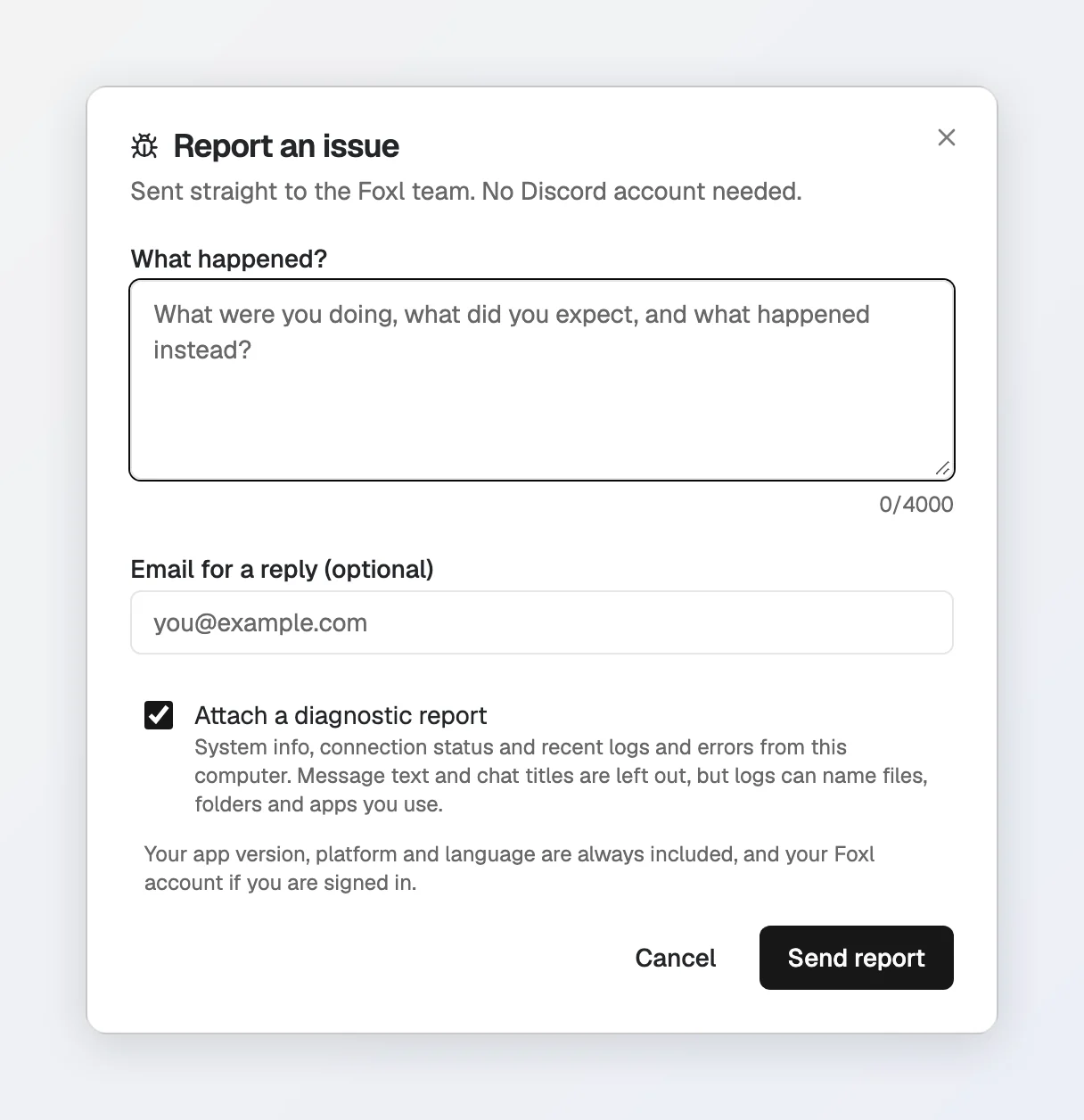
Describe what happened. Opened from an error, the error is already written in (keys, tokens and your account name removed) and Send report is ready, so the report is one tap; the same error is not sent twice in one session. Do not include passwords, keys or other private information. What goes with the report:
- Always: your app version, platform and language, and your Foxl account if you are signed in.
- Under Optional details, folded away and off every time the dialog opens, only what you choose:
- Include this conversation's messages: the open conversation's messages, sent as written, apart from what is removed below.
- On the desktop, Attach a diagnostic report (the System Report: system info, connection status, recent logs and errors). Message text and chat titles are left out of it, but logs can name files, folders and apps you use. On a phone or in a browser, Attach recent app logs sends the errors and warnings the app recorded since it opened instead.
- Email for a reply, when you are not signed in. Signed in, there is no address to type: the dialog shows the account address replies go to.
Keys, tokens and your account name inside file paths (/Users/<name>/) are removed on your device before the report leaves it, and again by Foxl's server, which files the whole report as an issue in Foxl's private GitHub repository and emails it to the support inbox. If the report cannot be delivered, the dialog keeps your text and offers Copy report or email instead.
When a bug is confirmed, a member of the Foxl team may post it as a public issue on github.com/foxl-ai/foxl, written or reviewed by that person, with what you wrote and your app version, platform and language - never your email address, your account, the conversation or the diagnostic report. Nothing is posted there automatically.
The same row also has Report on Discord, which copies your version, platform and language (no file paths) and opens the Foxl Discord. In the iPhone and iPad app, Report by email opens your mail app with a message to [email protected] that already has them in it; if no mail app opens, Foxl shows the address with a button to copy it.
Report it in a chat
You can also tell Foxl in a chat that something went wrong. It writes the report and shows it as a card under its reply, Send this report to the Foxl team?, with Send and Cancel. Nothing goes until you press Send, and the chat's last messages go with it only if you tick Attach the last messages of this chat, which shows them first. This works in the chats your computer answers, in the desktop app, at app.foxl.ai and in the phone apps. On a Claude Pro/Max sign-in or the on-device model, use Settings > General > Report an issue instead.
Discord
The Foxl Discord is the best place to get help, share what you're building, and connect with other users.
Channels
| Channel | Purpose |
|---|---|
#general | Chat with other Foxl users |
#questions | Ask questions - use /ask for instant AI-powered answers from the docs |
#showcase | Share what you built with Foxl |
#bug-reports | Report bugs with steps to reproduce |
#feature-requests | Suggest and vote on new features |
#changelog | Release notes and updates (read-only) |
#private-support | Create a private ticket for 1:1 help from the Foxl team |
AI Bot
The Foxl Bot in Discord can answer questions about Foxl using the /ask command:
/ask How do credits work?
/ask How do I set up the Chrome extension?
The bot searches the Foxl documentation and responds with relevant answers.
Private Support
For sensitive issues or account-specific questions, click the Create Private Ticket button in #private-support. This creates a private thread visible only to you and the Foxl team.
For account or legal inquiries, a report you would rather send by mail, or to ask for Foxl Code access (Foxl Code is in private beta for invited accounts). Foxl sells no plan, so there is nothing to bill:
- Support: [email protected]
GitHub
- Desktop app issues: foxl-ai/foxl/issues
What has shipped, and what has not
Five platforms build on every release: macOS, Windows, Linux (AppImage), iOS and Android. All five are installable today. What is still outstanding is store distribution and code signing:
- iOS - on the App Store, with a public TestFlight beta for early builds. Not available in the EU storefronts yet.
- Android - shipping as a direct APK from the GitHub release. No Play Store listing yet.
- Windows - signed with a self-signed certificate, so SmartScreen warns on first run.
- Linux - the AppImage is unsigned and needs
chmod +xfirst; on Ubuntu 22.04 and later it also needslibfuse2(libfuse2t64on 24.04) - see Troubleshooting.
See Download and Mobile Apps for the install routes.